
Jiffy Lube
Native iOS mobile app
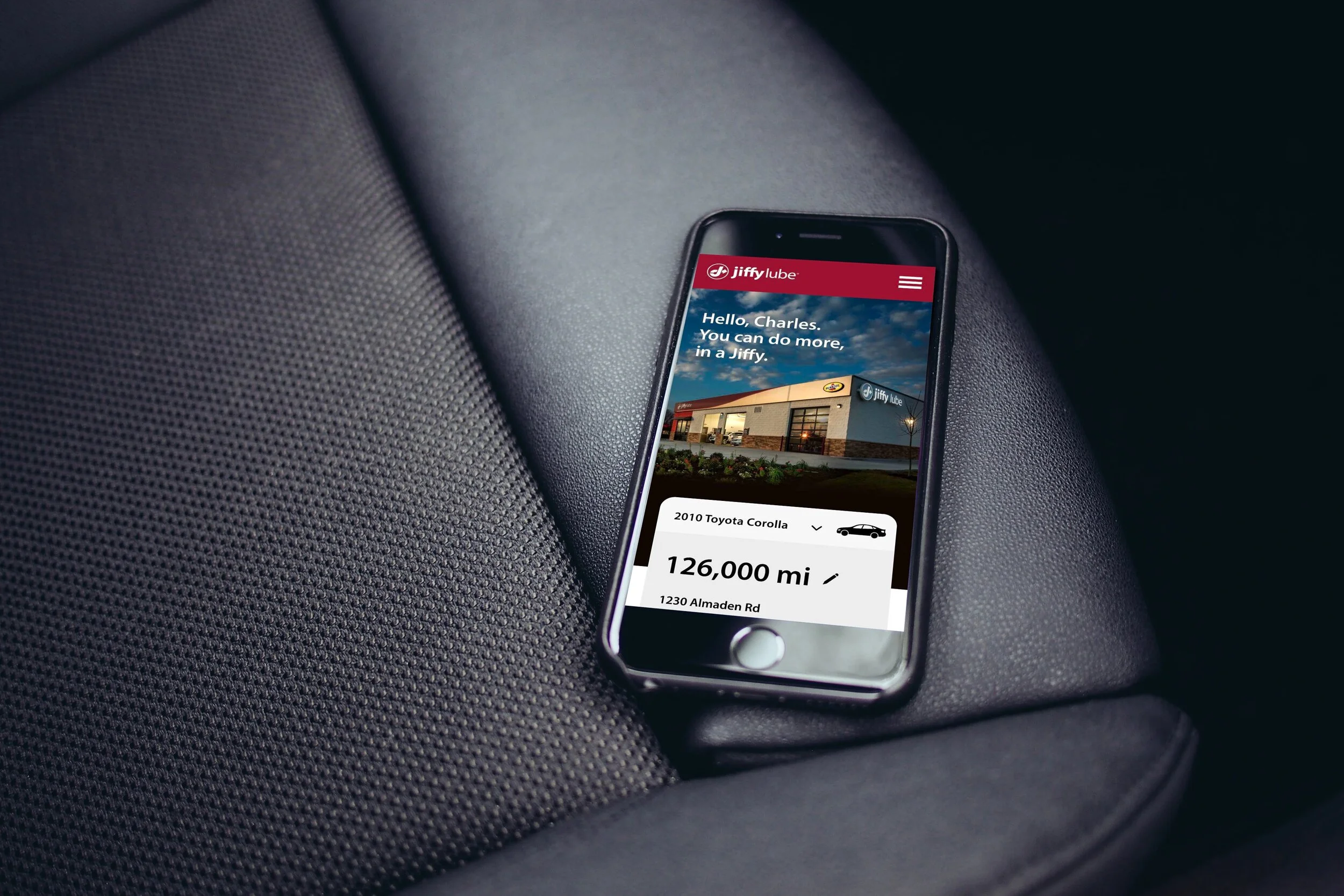
Please note: All artifacts below are intellectual property of AKQA Inc and under non disclosure agreement with Jiffy Lube. Duplication or sharing of any of the information presented in the case study below without written consent is prohibited.
The ChallengE
Jiffy Lube wanted to establish itself as the most progressive and convenient automotive maintenance brand of choice. The problem was that they were a standard brick-and-mortar shop with very little digital presence.
GOAL
Connect customers to Jiffy Lube stores via a mobile car care app
The Solution
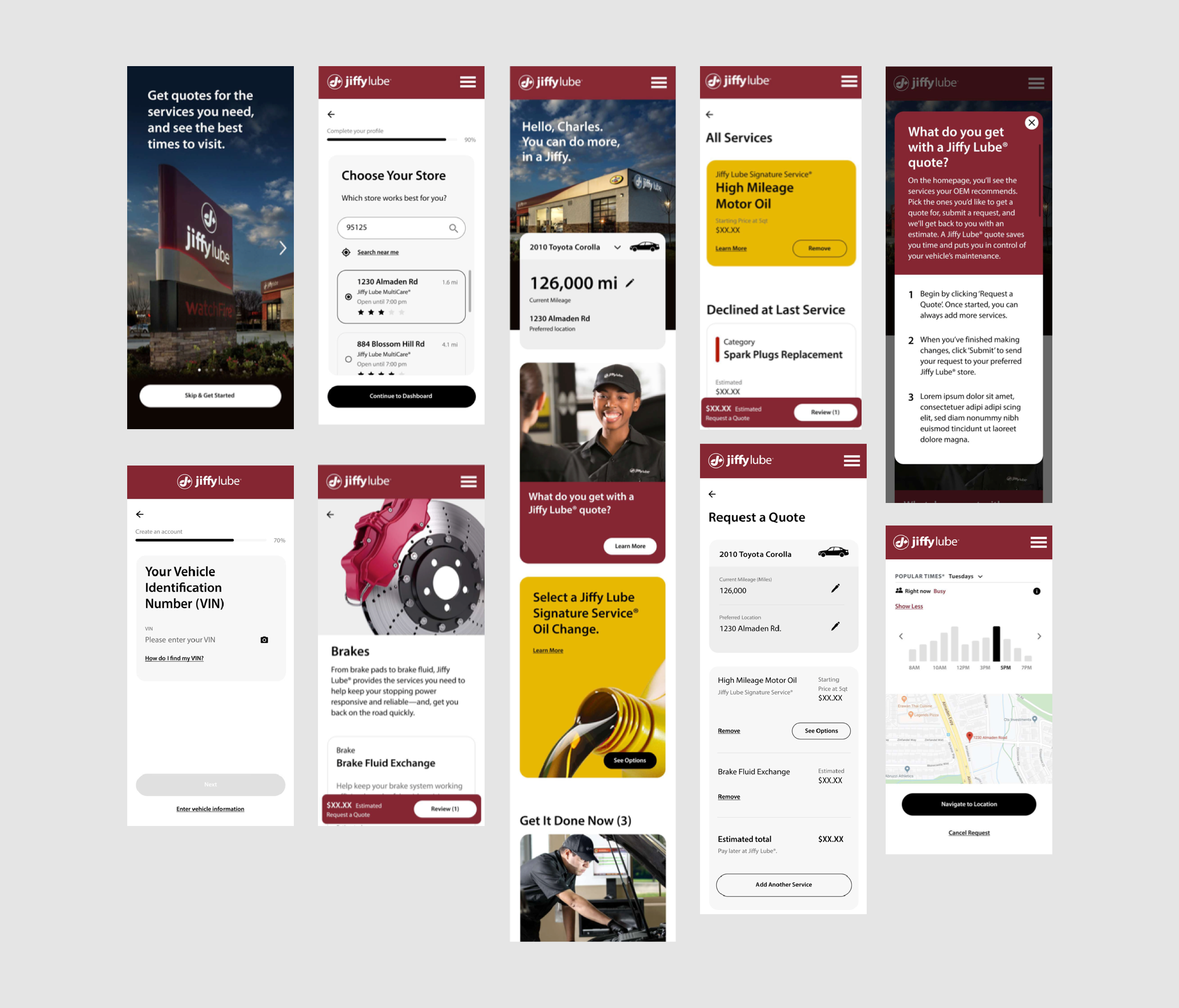
Detailed design mockups - prices have been redacted as they vary per store.
Background
Jiffy Lube is a brick-and-mortar shop that performs car maintenance services in a “jiffy”. Their business model is built on customers dropping in on an as-needed basis. Booking an appointment in advance is not a viable option for them.
In order for Jiffy Lube to rise above its competitors, it needed to focus on excellent and seamless customer experience before, during, and after the service.
The Jiffy Lube president came to us with the idea of a mobile app. In-store and online surveys showed that there was clear demand, especially for customers under the age of 35, for a mobile experience.
Survey participants stated that they would use the app if it had the following features:
maintenance information and recommendations
service history tracking
appointments or online servicing
ability to pay online or in-app
It was clear that Jiffy Lube was in need of a long overdue makeover but they wanted to make sure their core values and integrity remained intact.
“We’re the Uber of the 1970’s”
To progress Jiffy Lube’s services into the 21st century, we envisioned their speed and convenience translated into a number of different features and benefits:
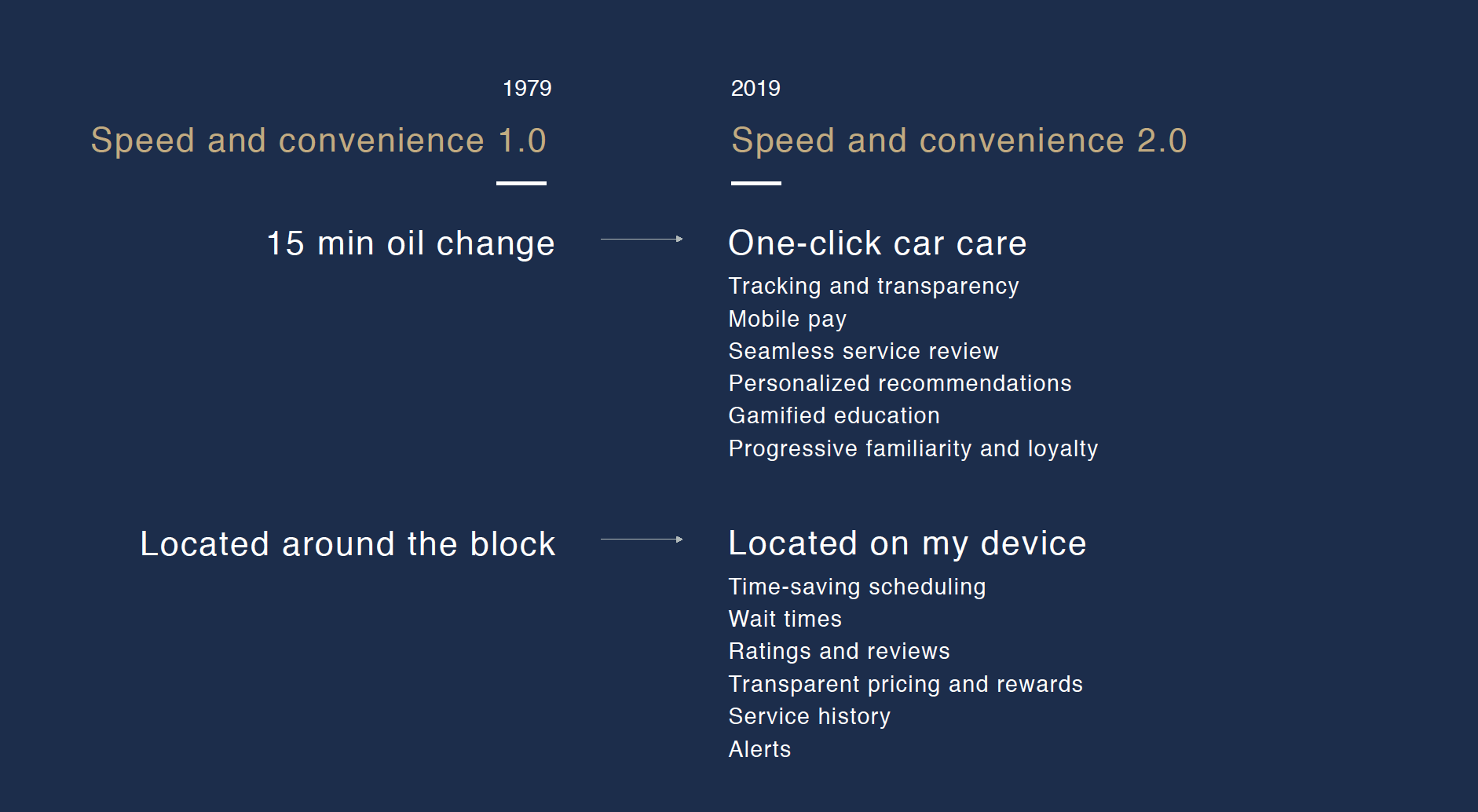
Currently, customers receive a free vehicle inspection with each visit. Customers receive a paper print out with recommendations. One of the main ideas for the mobile app was to digitize this process. If customers are reminded to get their oil change on their app before their check engine light comes on in their car, this could be a lead to growth in customer loyalty and satisfaction.
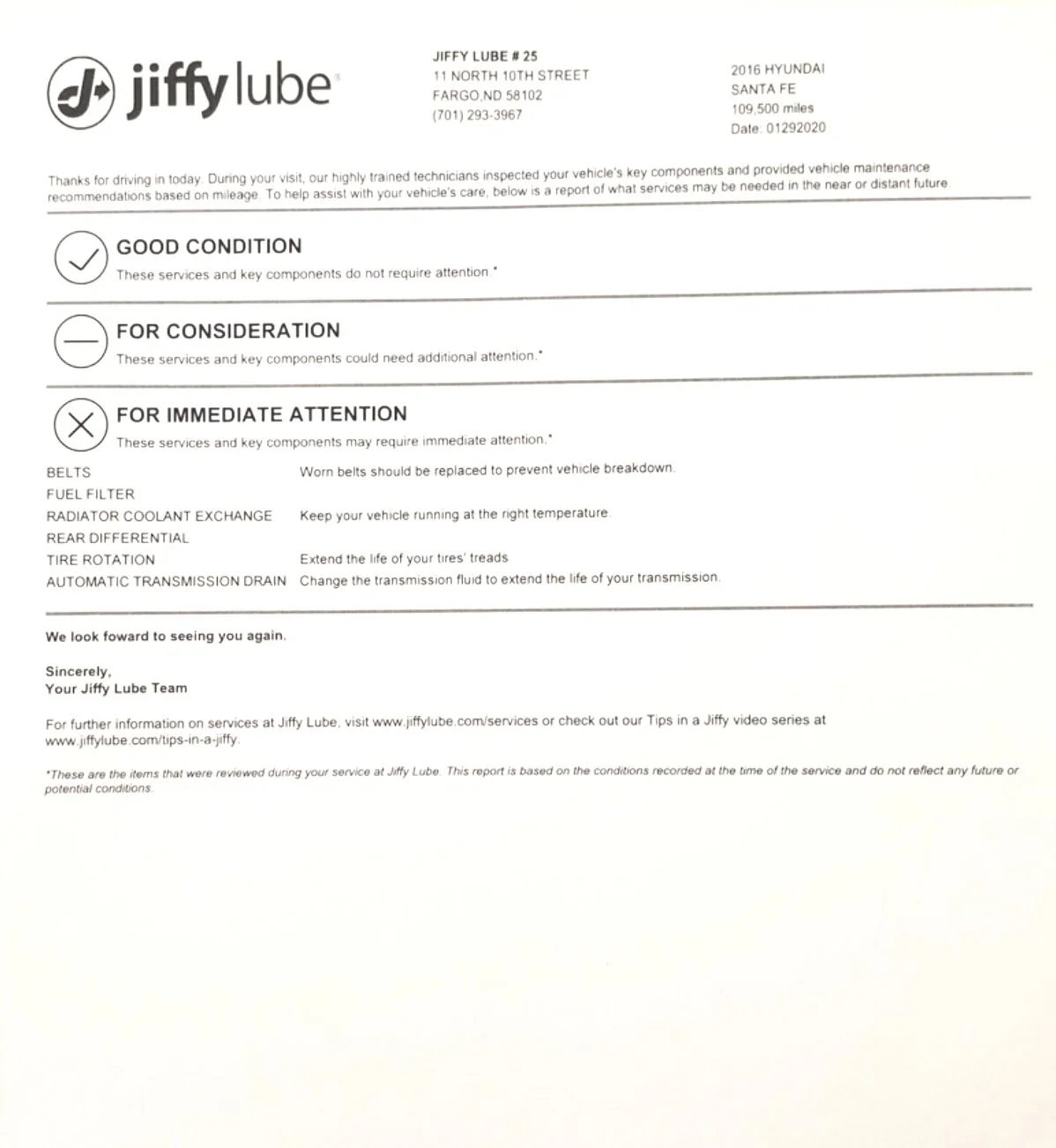
Paper vehicle recommendations report
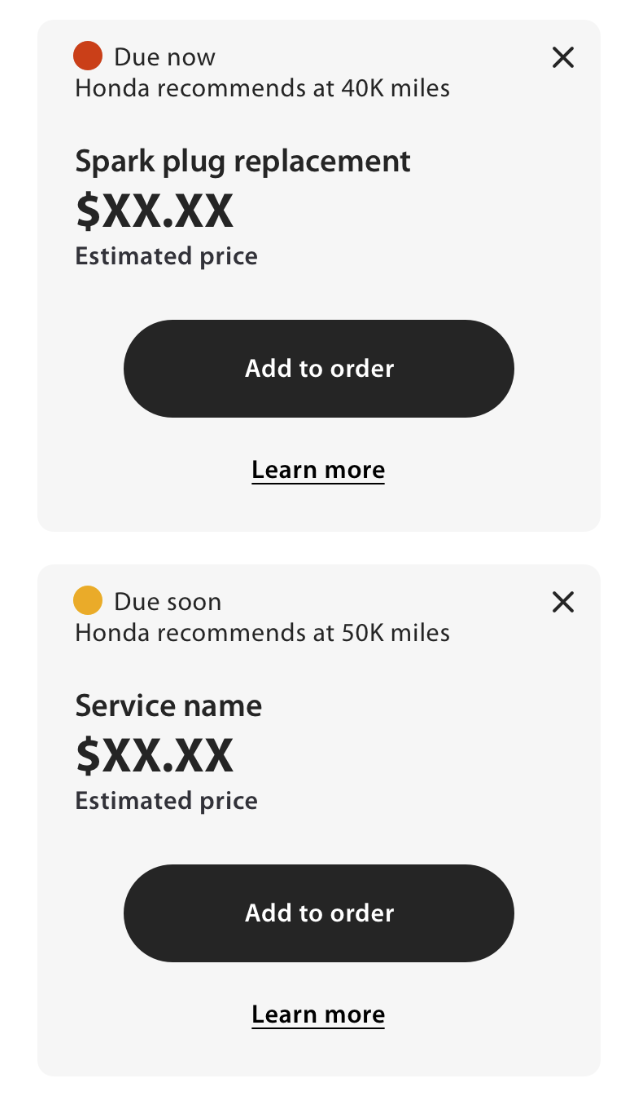
Early concepting of digitized report
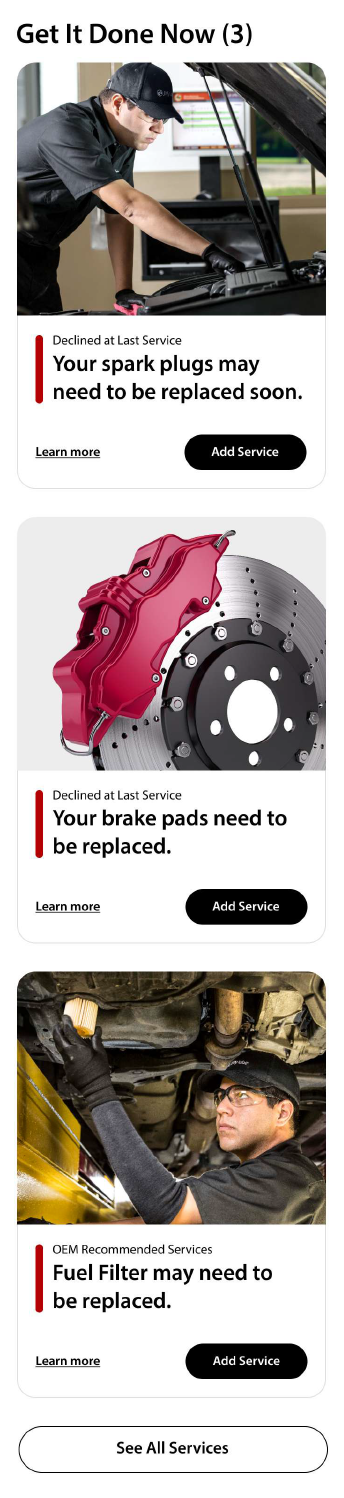
Later iteration of digitized report
Research
Prior to my involvement on the project, extensive research was conducted by the rest of my team including a competitive audit, ecosystem analysis, stakeholder interviews and workshops, service design blueprint creation, journey mapping, and persona development. Mid-fidelity wireframes and prototypes were designed in InVision by other designers on the team before my first day on the project as well.
Personas
One of three personas
customeR flow
A simple, linear customer flow was created for concept testing. The purpose of concept testing was to gauge customer interest in the features for the app. Please note, this is not usability testing.
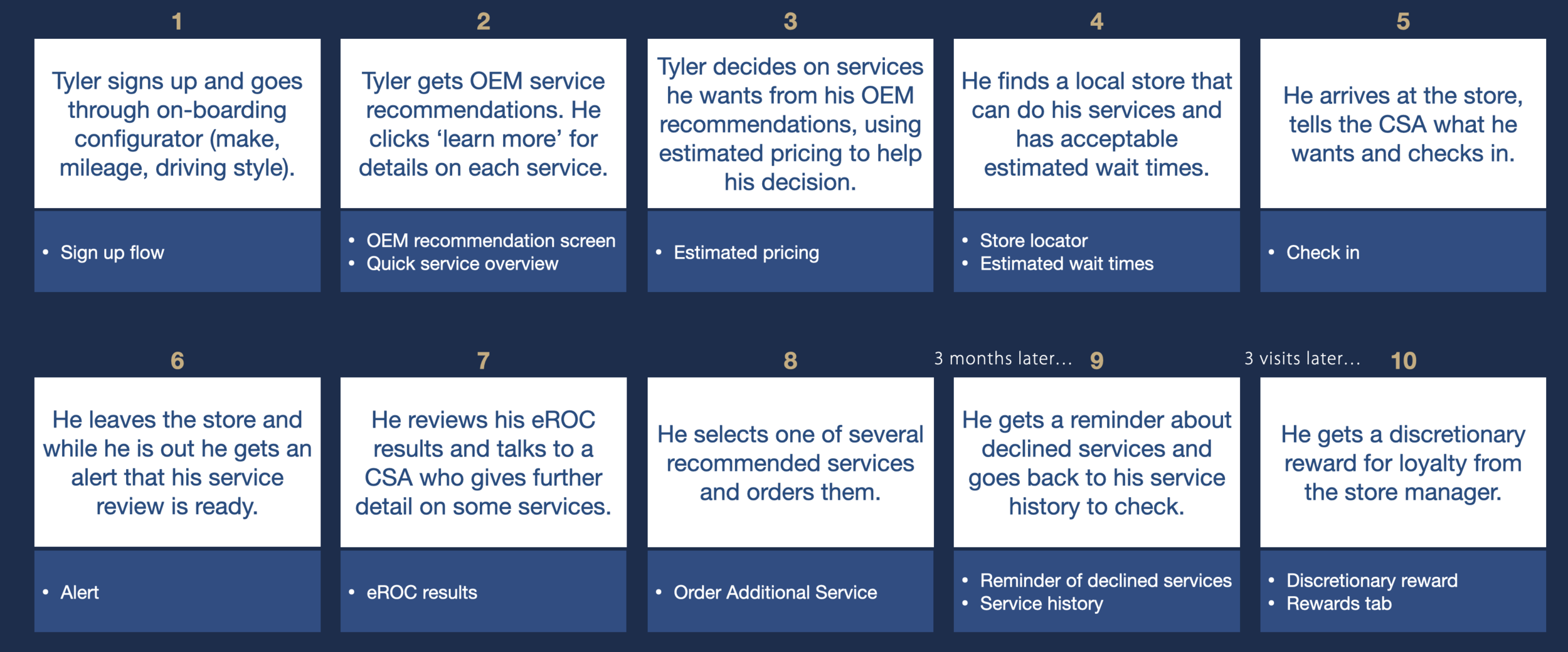
Summarized prototype screen flow to be tested
“My vision is to get to a point where we can sell an oil change to people between 7 PM and 7 AM. You should be able to click a button or two, buy the services, pay for them, select the store and send the order in so it’s ready when you arrive. ”
PROTOTYPE
This was the prototype used in testing. Please note that this is not the final mock up. Prices are redacted and filler copy is used as per request of the client.
Observational shadowing, concept TesTING & INterviews
I was brought on to this project during the user testing stage to observe and synthesize research insights into actionable recommendations. During this phase of the design process, we wanted to validate and iterate our findings by testing it with Jiffy lube customers and employees. Our research team visited Jiffy Lube store locations in Houston, Virginia, and San Francisco.
Research Goal:
Gauge user’s needs, wants, desires and comprehension of the mobile app
Understand how in-store technology can integrate with the mobile app
Discover any pain points, blockers, and strengths of the mobile app
Methodology:
Observe customer service advisor (CSAs) and store managers in their day-to-day work
Ask and follow up on a series of questions while customers and store employees navigated an early prototype of the app
Record sessions via Lookback.io - participant video and audio + screen recordings of the InVision prototype as it was being used
Stimuli:
InVision Prototype on an iPhone 8
Users were asked to complete the following tasks:
Sign up for an account
Find the nearest Jiffy Lube location
Retrieve car inspection results
Order an oil change ahead of time
Check in to the Jiffy Lube
View car service history
Participant Mix:
10 Customers, ages 20 - 61, mix of returning and first time customers
4 CSAs, ages not disclosed
2 Store managers, ages not disclosed
Video transcriptioN
As the sessions were happening, I took notes and timestamped moments where users struggled or expressed great interest in a feature. Additionally, I listened in for anything that would be helpful during the detailed UX design phase.
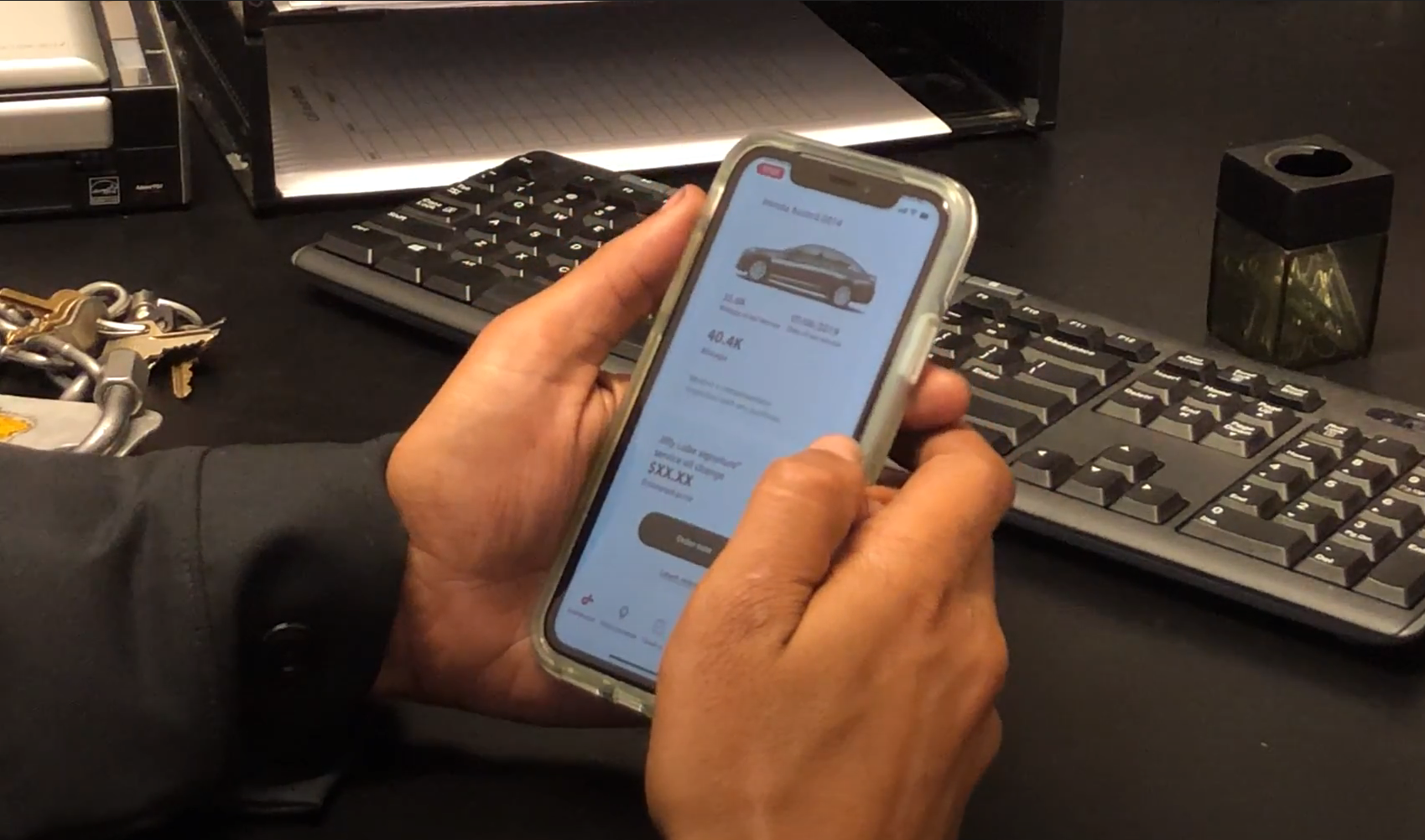
A Jiffy Lube customer service attendant participates in the study
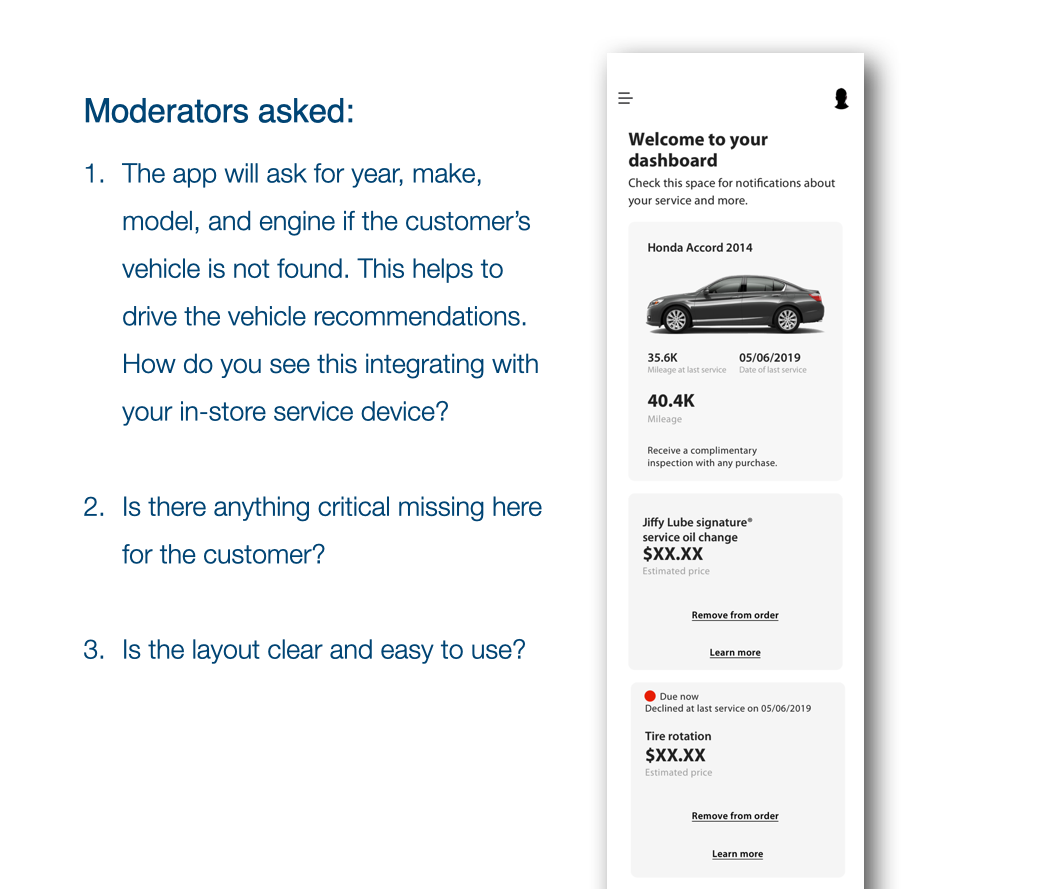
Follow up questions after the users clicked through on their own. Prices are redacted due to varying prices per location
Synthesis
Affinity mapping
Using Trello, I added all the notable findings from customers, CSAs, and store managers. I looked for and tagged usability , content, and feature suggestions as well as user pain points and user affinity. Organizing the findings by mobile screen allowed me to pinpoint repetition in insights.
Findings and insights
Once I gathered all the information into a Trello board, it was simple to find common themes and organize them by screen. Below are some of the findings labeled by topic. “Pain points” were areas that participants struggled with. “Strengths” were concepts that participants liked and “feature enhancements” were user suggested improvements to the app.
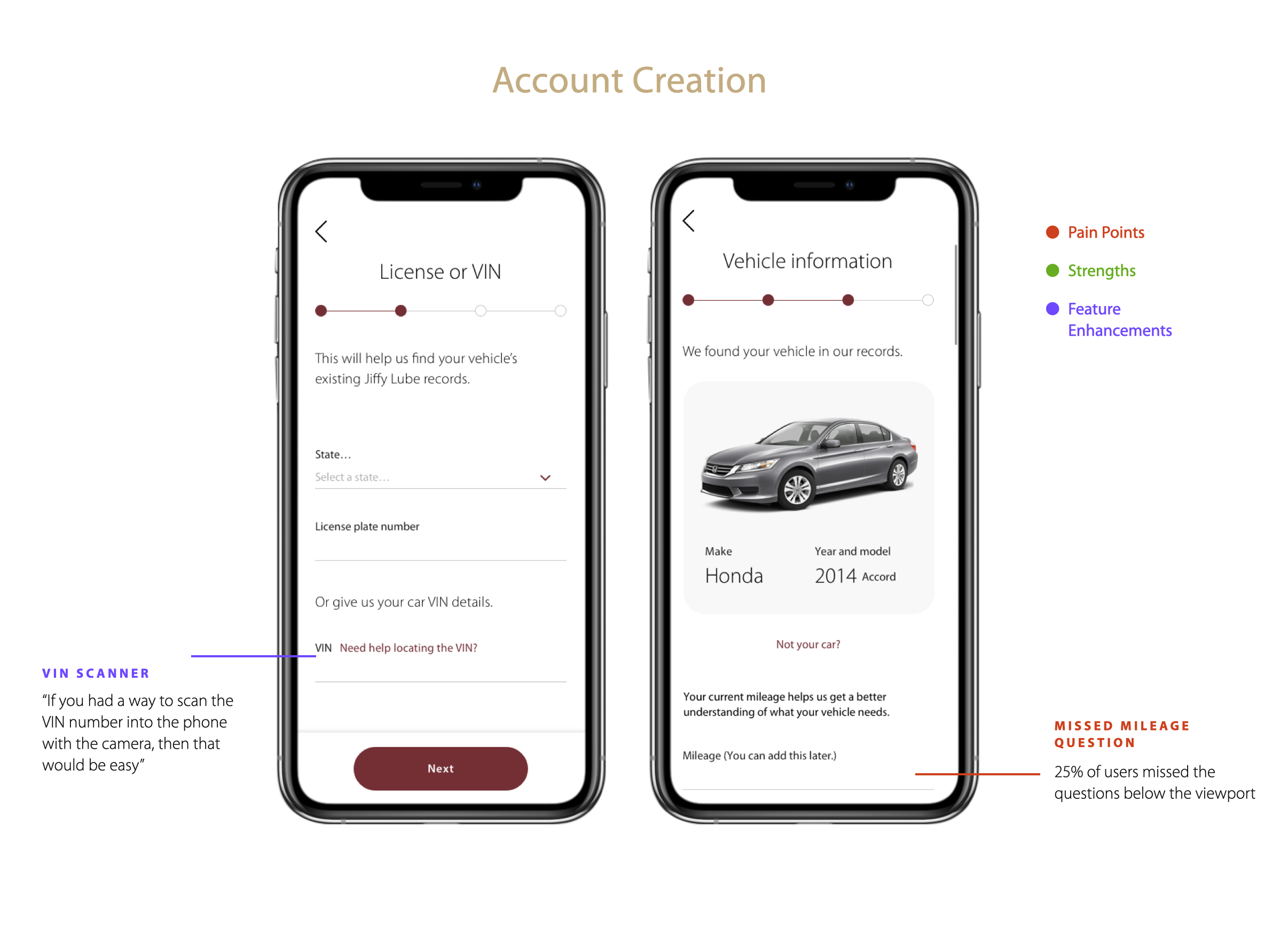
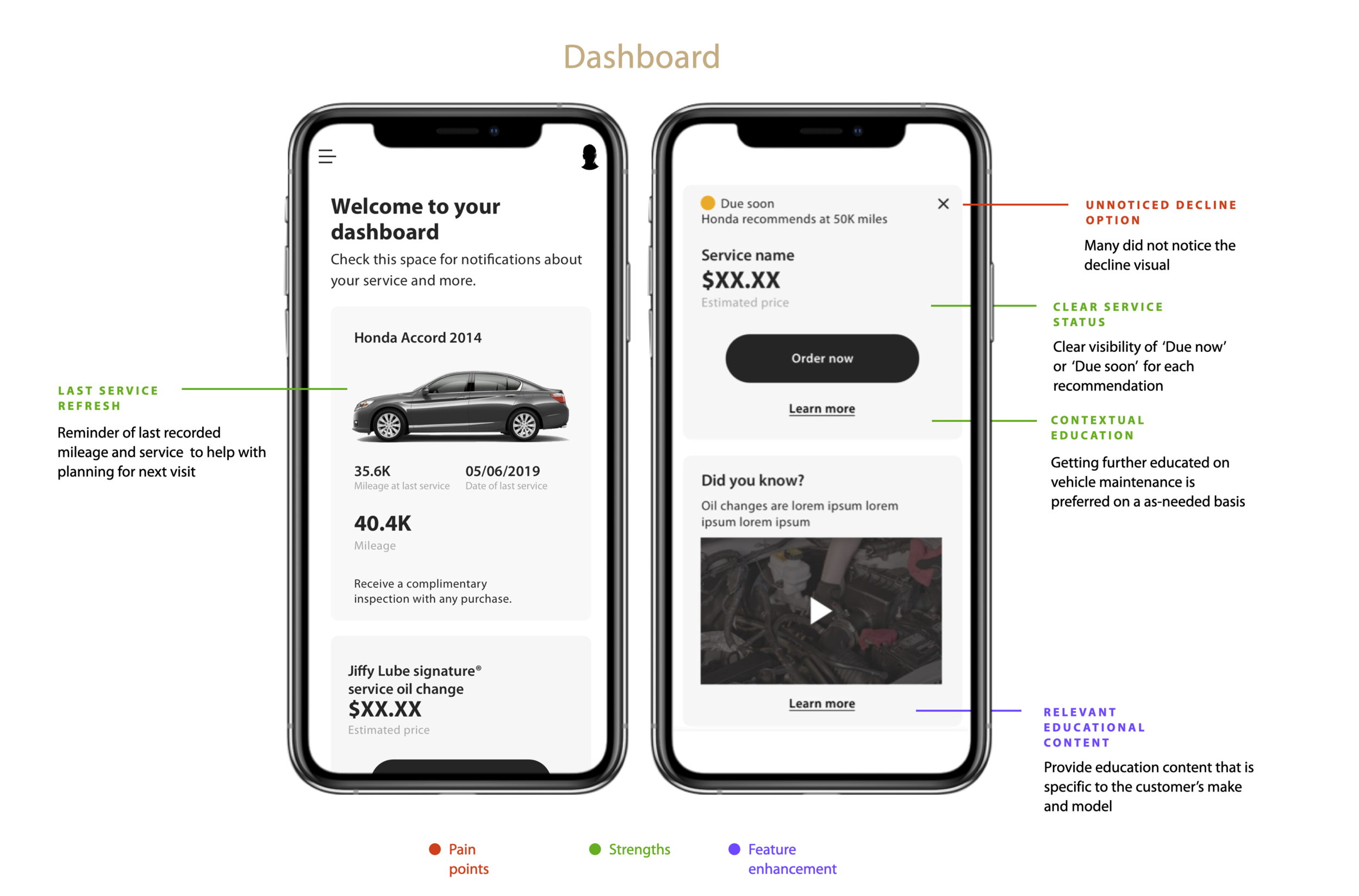
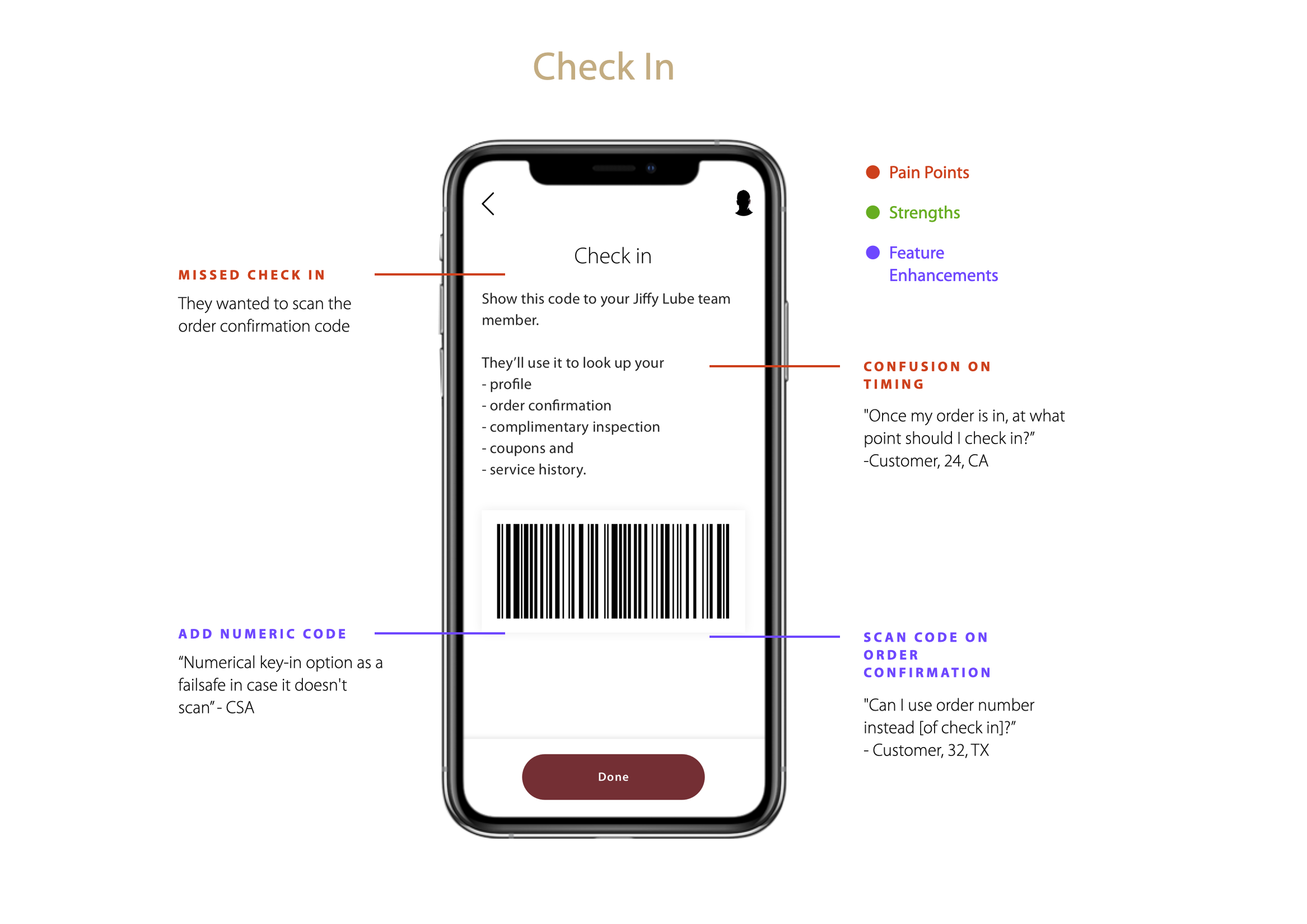
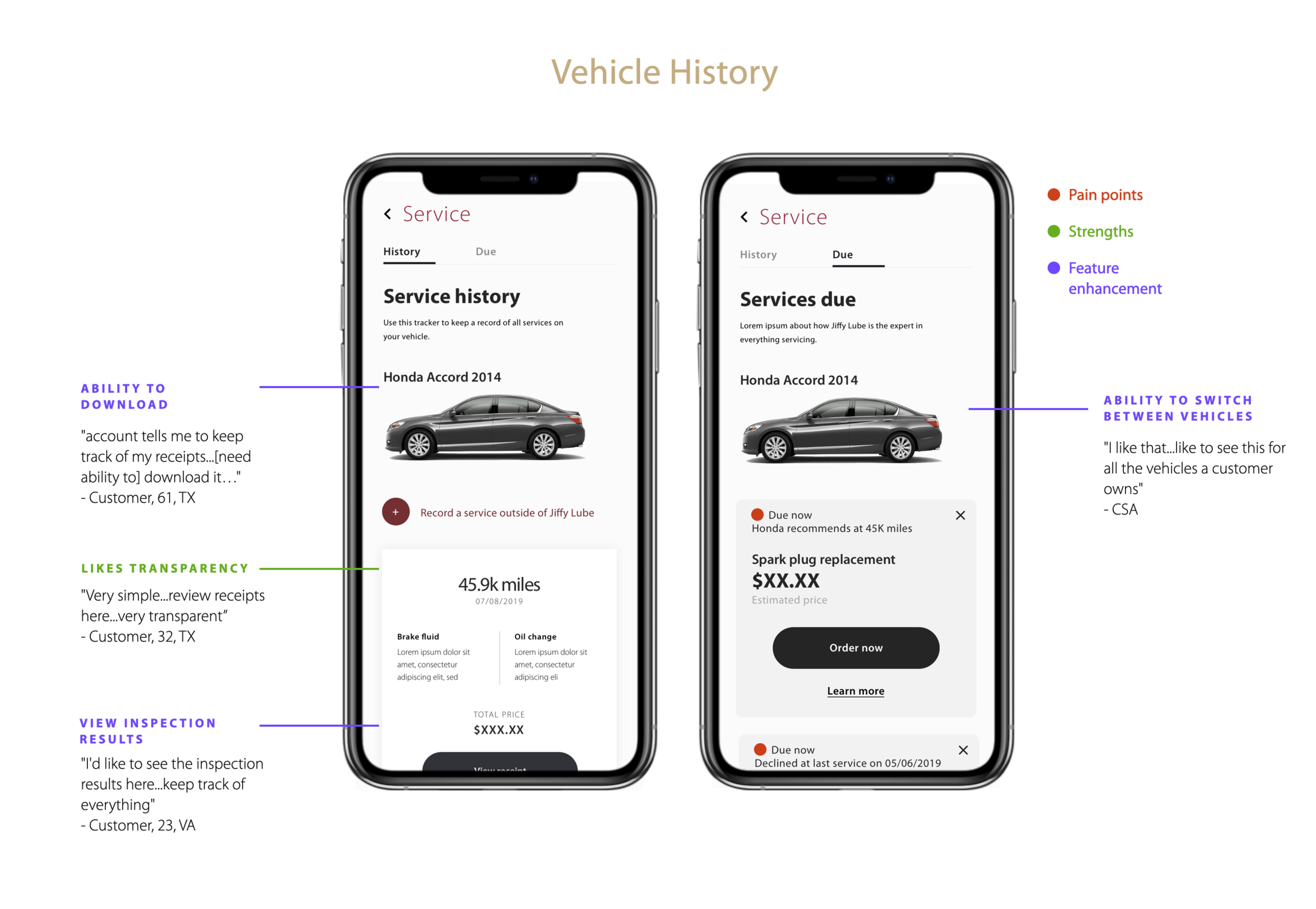
Click the thumbnails above to explore the other key screens in the gallery.
Overall, the mobile app concept was positively received. The vehicle service history and order ahead options were popular among customers. The '“driving style” screen in the account set up flow was added to the app as a legal requirement but was off-putting to a few customers because they were wary of answering truthfully for fear of their car service quote going up. In the next iteration of design, we addressed this by simplifying the copy to have more approachable tonality.
On the Jiffy Lube employee side, there were a few concerns regarding the feasibility giving out accurate service estimate times. In their current business model, the CSAs give out estimated service times but they vary depending on the level of experience the technician has. In the next iteration of the app design, this feature was de-prioritized.
Feature prioritization approach
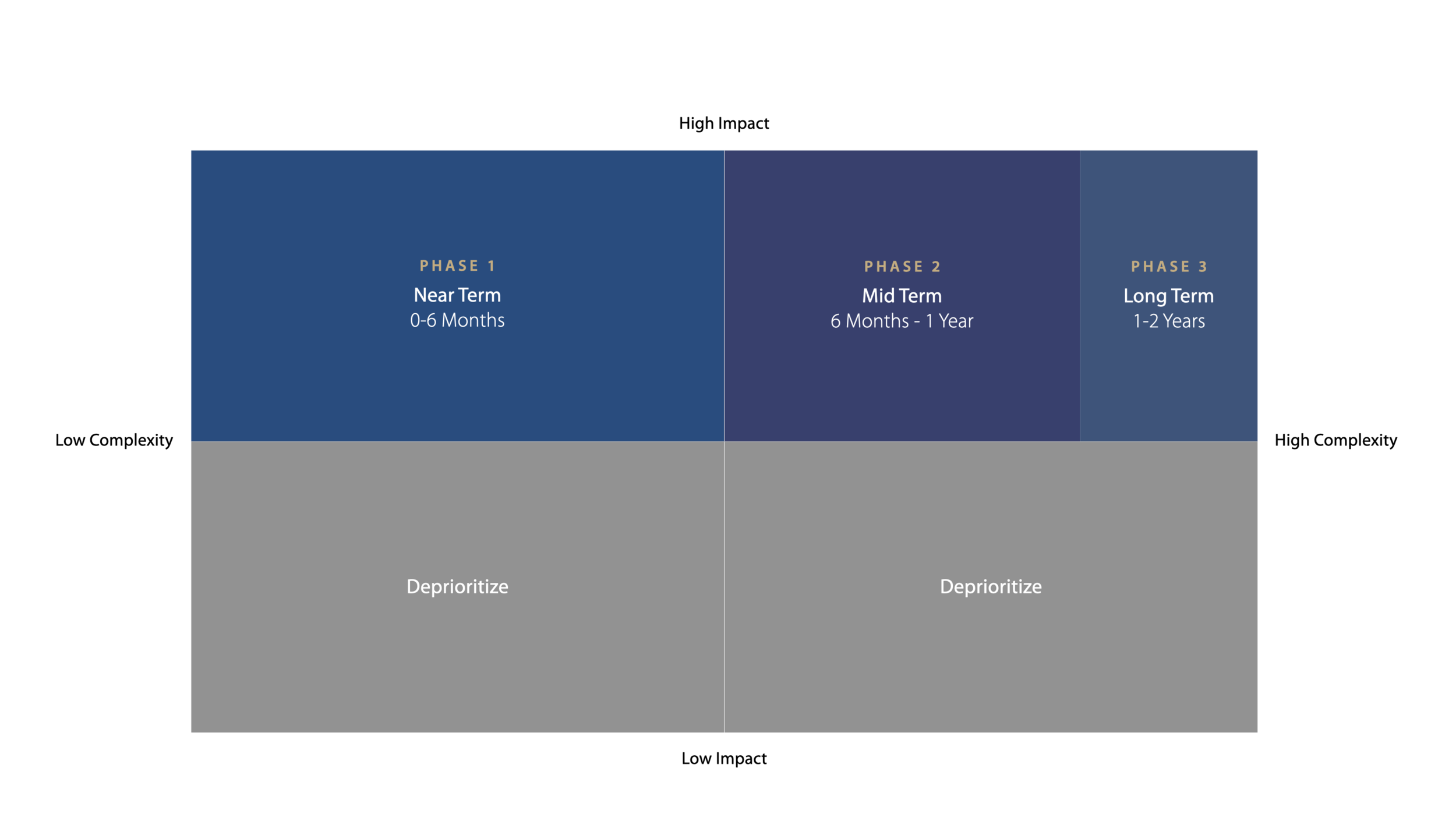
There were a lot of great insights from our concept testing and it was necessary to prioritize the features that were most important to both the users and the business. We first looked at the impact, followed by the complexity of actually building out the feature and phased it out from there.
Impact Analysis
Each feature is first evaluated against both CX and business impact to separate high and low potential features
To evaluate the user impact, we took a look at 4 core characteristics:
Efficiency - Will it save the customer time?
Value - Will it save the customer money?
Trust - Will it give the customer peace of mind?
Loyalty - Will it make the customer loyal to Jiffy Lube?
To evaluate the business impact, we evaluated 3 aspects:
Revenue - Will this increase Jiffy’s share of the market? Will this increase transaction volume? Will this increase transaction amount?
Expense - Will this reduce OpEx? Will this reduce CapEx?
Risk - Will this reduce legal or brand risk?
Complexity Assessment
Features determined to have largest potential were then evaluated for effort and contingency in order to decide which features can be safely recommended
Effort - How much time and effort is involved in building and/or launching this?
Technical requirements - Does this require a technical asset (software, hardware, platform, data, etc) before it can be implemented?
Operational requirements - Does this require a new business process, policy or capability to be adopted first?
From our evaluation of impact vs. complexity, we were able to recommend the appropriate phasing of each feature to our Jiffy Lube clients stakeholders.
Outcome and next steps
After the priorities were discussed with Jiffy Lube, my UX teammates began detailed design. At this time, I was fully staffed on a different client project and was not involved on the outcome. Some of the most notable changes between concept testing and detail design ( Sprint 1) was:
Adding a camera scanning option for entering VIN number
Simplified wait times graphic
During concept testing, users misunderstood the difference between wait time ( how long until you get serviced) and service time ( how long your oil change takes)
Removed check in screen - process was not viable for all Jiffy Locations.
For example, there is no parking at the SF location which made it difficult to implement
The final designed mobile wireframes are currently in development by the engineering team.
measurements for success
The AKQA team will do a client check in with Jiffy Lube to look at:
# of yearly active consumers
Revenue stream from mobile app service purchases, subscriptions, bundles & rewards
# of new customers and returning customers
See More work
Twitch Elevated Chat
Twitch: Hire an Artist
PayPal